Domain blacklist checker & free IP
Keep your domain reputation safe. If your IP or domain ends up on a blacklist, your emails might not reach your customers. That can hurt your business. Use FareOf’s free blacklist checker to quickly see if your domain or IP is identified, so you can fix issues fast and keep your emails out of the spam folder. Stay one step ahead and protect your email reputation.

What is an Email blacklist and how does it work?
Email blacklists help identify and block spam. These lists track the reputation of your domain and IP address. If you send too many emails at once, message invalid addresses, or contact people who didn’t sign up for your emails, it can lead to spam complaints and bounced emails.
That’s when you risk getting added to an email or IP blacklist. Once you're on one, your emails are more likely to be blocked or go straight to spam.
There are different types of blacklists, some monitor domains (email blacklists), while others focus on IP addresses (IP blacklists). These tools are used by email services and internet providers to reduce spam and protect inboxes.
If you’re on a blacklist, your email deliverability will drop, and fewer people will see your messages.

Why did I get blacklisted?
Your email domain or IP address might land on a blacklist for several reasons. This usually happens if your emails trigger spam filters, you send messages to bad or inactive addresses, or people mark your emails as spam.
Too many spam complaints can hurt your reputation
Most email platforms let users mark messages as spam with just one click. If enough people do this to your emails, it damages your domain’s reputation.
This often happens when you send too many emails, send content people didn’t expect, or offer little value. When your emails feel like spam, your subscribers let their email provider know and that counts as a spam complaint.
Email services have strict rules. If more than 0.1% of your emails (that’s just 1 in 1,000) are marked as spam, it can seriously hurt your sender reputation. This makes it harder for your emails to reach inboxes and could get you added to a blacklist.
Hackers might be misusing your email domain or IP
If you suddenly find your domain or IP on a blacklist, it could mean spammers or spoofers have taken advantage of it.
These bad actors look for weak or unprotected domains to send emails, spread malware, or run phishing scams. When this happens, blacklist services step in to protect others by identifying your domain or IP.
Even if you did not send the spam yourself, you could still get blacklisted, so it is important to secure your email setup and check your status regularly.
Your email list might include people who did not subscribe
If you are emailing people who never signed up, there is a good chance they will mark your messages as spam. This hurts your sender reputation.
Be cautious about how you grow your email list. Buying lists might seem like a quick win, but it often backfires. Many of those addresses are either outdated, risky, or belong to people who’ve never heard of your business, leading to spam complaints and bounces. That can get you blacklisted fast.
Your IP could be blacklisted from a previous owner
Sometimes you inherit problems you did not cause. If your IP address was used by someone else before you, and they had bad email habits like sending spam or malware, you might still be paying the price.
Even if you are doing everything right, your IP’s history can impact your deliverability. In this case, it’s best to reach out to your ISP or the blacklist provider to clear things up.
Your website affects your domain reputation too
It’s not just your emails, your website also plays a big role in your domain’s reputation. If your site looks spammy, has poor quality content, or gets linked from shady websites, it can hurt your credibility.
Search engines and email services pay attention to these signals. A high bounce rate or lots of low-quality backlinks can make your domain seem untrustworthy, which might get your IP, email, or even your website blacklisted.
When should you use an email blacklist checker?
It is a good idea to check your blacklist status regularly. Using an email blacklist checker helps you stay on top of your domain’s reputation.
It’s a good idea to check your blacklist status regularly. Using an email blacklist checker helps you stay on top of your domain’s reputation. These tools are affordable, run daily, and alert you right away if something’s wrong, so you can fix it fast and keep your emails on track.

However, be on the lookout for unusual activity, including
- A sudden spike in bounced emails
- A noticeable drop in open rates
- Spam complaints going over 0.1% (that’s more than 1 in 1,000 emails)
These warning signs usually point to issues with your email deliverability or domain reputation. Use a free blacklist checker to see if your domain or IP has been identified. If it has, take a closer look at how you're sending emails so you can fix the problem and protect your ability to reach inboxes.
How to get removed from an email blacklist
If you have been blacklisted, don’t worry, there are steps you can take to fix it:
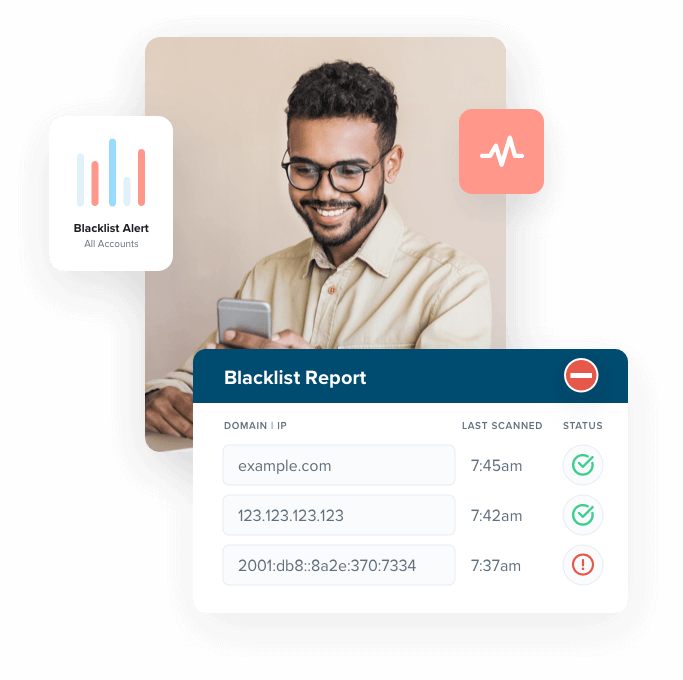
Use an email blacklist checker to scan your domain or IP. If you see a “Listed” status, follow the link provided. It will take you to the blacklist’s website, where you can find out why you were identified.
Based on what you find, clean up your domain. Remove any suspicious users, malware, or security threats. If you haven’t already, set up proper email authentication like SPF, DKIM, and DMARC to show you’re serious about stopping spam.
Every blacklist situation is different. Sometimes the fix is as simple as cleaning up your list, while other times you might need to adjust your email server settings or remove malware.
Once you’ve resolved the problem and taken steps to improve security, you can ask the blacklist provider to take you off the list. Most have a form or request section on their website for this.
MFor example, 0Spam has a dedicated page just for removal requests. Be sure to include proof of the changes you made to help your case.

Keep in mind that while many blacklist providers will consider your removal request, they aren’t required to approve it.
That’s why it’s essential to stay proactive, protect your domain reputation and keep your email deliverability strong by using proper security measures and following best practices to prevent spam.
How to stay off email blacklists
The easiest way to avoid landing on an email or IP blacklist is by following good email security practices and taking steps to prevent your messages from being marked as spam.
Strengthen spam protection with email authentication
One of the best ways to protect your email reputation is by setting up proper email authentication through your domain’s DNS settings.
Start with SPF (Sender Policy Framework) — it tells email providers which servers are allowed to send emails from your domain.
Next, add DKIM (DomainKeys Identified Mail) — this adds a digital signature to your emails, proving they’re really from you and not a scammer.
Then there’s DMARC, which gives instructions to email providers on what to do if an email fails SPF or DKIM checks, like rejecting or identifying it.
Together, these three tools help keep your emails secure, improve deliverability, and reduce your chances of ending up on a blacklist.
Once you’ve used our free blacklist checker to see where you stand, check out our other free tools below to keep your domain reputation strong.


Email validation helps you stay off blacklists
Sending emails to bad or inactive addresses can hurt your deliverability, and eventually land you on a blacklist.
Some blacklist services and ISPs use hidden traps called spam traps. These are fake email addresses meant to catch spammers. If you accidentally email one, it’s a sign that your list isn’t clean, and you could get blacklisted fast.
Other risky addresses, like ones linked to frequent complainers, abuse reports, or temporary (disposable) emails, can also lead to high bounce rates and spam complaints. That damages your domain’s reputation.
The good news is it is easy to fix. Use an email validation tool to scan your list, remove any bad or high-risk emails, and then upload the cleaned list back into your CRM.
Segmenting your audience helps prevent spam complaints
When emails feel irrelevant or annoying, people are more likely to mark them as spam and too many spam reports can hurt your domain’s reputation and get you blacklisted.
To avoid this, divide your email list into smaller groups based on interests, behavior, or stage in the customer journey. This way, you can send the right message to the right people at the right time.
If you have an update or offer that only applies to a certain group, create a targeted campaign just for them. You can also use surveys or ads to find out what kind of content your audience actually wants.
By sending content that matches your audience’s needs, you reduce spam complaints, protect your deliverability, and keep your domain off blacklists.

Keep your domain reputation in check with a blacklist checker
Email marketing delivers great returns but only if your emails reach the inbox.
To protect your email performance, use our free blacklist checker to regularly scan your domain and IP. If you’re listed on any blacklists, you’ll be able to spot it early, understand why it happened, and start the removal process right away.
Want extra peace of mind? FareOf’s blacklist monitoring service keeps an eye on your domain 24/7. We check it against over 200 email blacklists and alert you immediately if anything changes so you can stay ahead of deliverability issues.
Receive 24/7 blacklist monitoringSome free email deliverability tools:


FAQs
To find out if an email address is on a blacklist, you can use a blacklist checker tool. Just enter the email domain or IP address linked to the sender, and the tool will scan multiple blacklists to see if it’s been flagged.
These tools won’t usually check a single email address directly, but they’ll show if the domain or server it's sending from has been blacklisted which still affects whether emails get delivered or go to spam.
Our free email blacklist checker quickly scans your domain or IP address against a wide range of known blacklists. Within seconds, you'll see if you're listed anywhere, giving you a clear view of your email reputation and where you may need to take action.
To get off an email blacklist, start by using a blacklist checker and follow the links for any listings found. These will take you to the blacklist provider’s site, where you can see why your domain or IP was identified.
Once you’ve fixed the issue, whether it’s spam complaints, security problems, or outdated settings, you’ll need to submit a removal request. Most blacklist sites have a form you can fill out to ask for delisting.
Just like with an email blacklist, you can use a blacklist checker to find out if your IP address is listed. If it is, click the link provided to visit the blacklist provider’s site and see why your IP was flagged. Once you’ve resolved the issue, you can submit a request to have your IP removed from the blacklist.
The number of emails you send doesn’t matter as much as how your audience reacts to them. What really affects your sender reputation is your bounce rate and spam complaint rate.
Try to keep your bounce rate under 2% (that’s 2 bounces per 100 emails) and your spam complaints under 0.1% (1 complaint per 1,000 emails).
If those numbers get too high, your deliverability will drop and you could end up on an email blacklist.