Click To Open Rate Calculator (CTOR)
Curious about how many people click the links in your emails? Try our free CTOR calculator to measure your email campaign’s performance easily.
Begin with a free trial
What do you mean by click to open rate (CTOR)?
Click-to-open rate (CTOR) shows the percentage of people who click on links after opening your email. It helps you understand if readers are not only opening your emails but also engaging with the content inside.
This metric is useful for measuring how well your emails support your marketing goals. For instance, if your goal is to promote a product, the CTOR will reveal if subscribers are clicking through to learn more or make a purchase.

Ways to operate the CTOR Calculator
Follow these simple steps to use the free CTOR calculator:
1.Enter the total number of emails you sent in your campaign or newsletter.
2.Enter the number of unique clicks. This counts how many individual people clicked a link in your email. Unlike total clicks, it does not count multiple clicks from the same person.
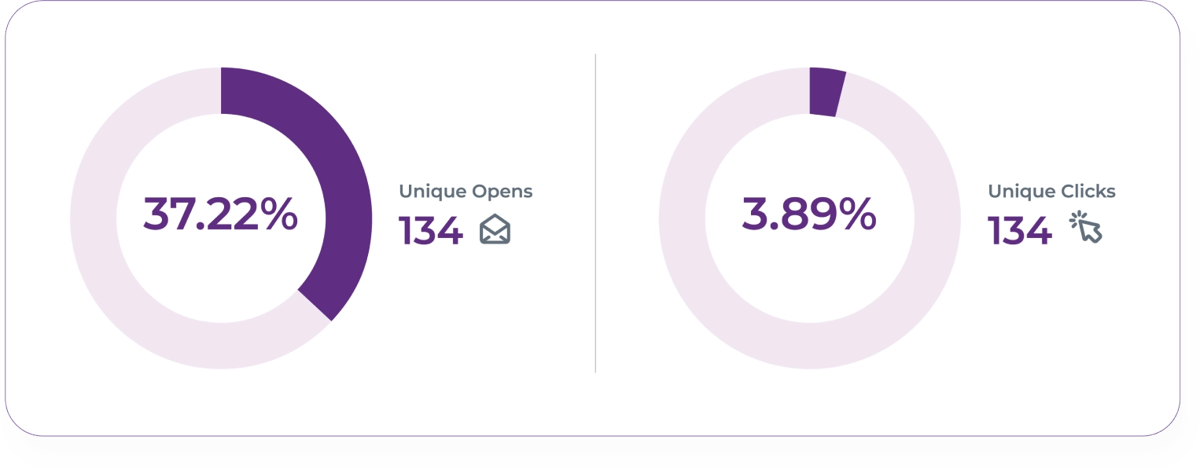
3.Enter the number of unique opens. This shows how many different people opened your email.
4.Click Calculator to see your CTOR.
How to calculate CTOR?
(Unique email clicks ÷ Unique email opens) * 100 = CTOR
Always use unique clicks and opens to get an accurate picture of how many people engage with your emails. Using total clicks or opens can inflate the numbers by counting repeat actions from the same person, making your email performance seem better than it actually is.
What is a good click to open rate?
Once you calculate your CTOR, you might want to compare it to industry standards.
CTOR can vary depending on your industry and campaign goals, but the average across most industries is about 11%.
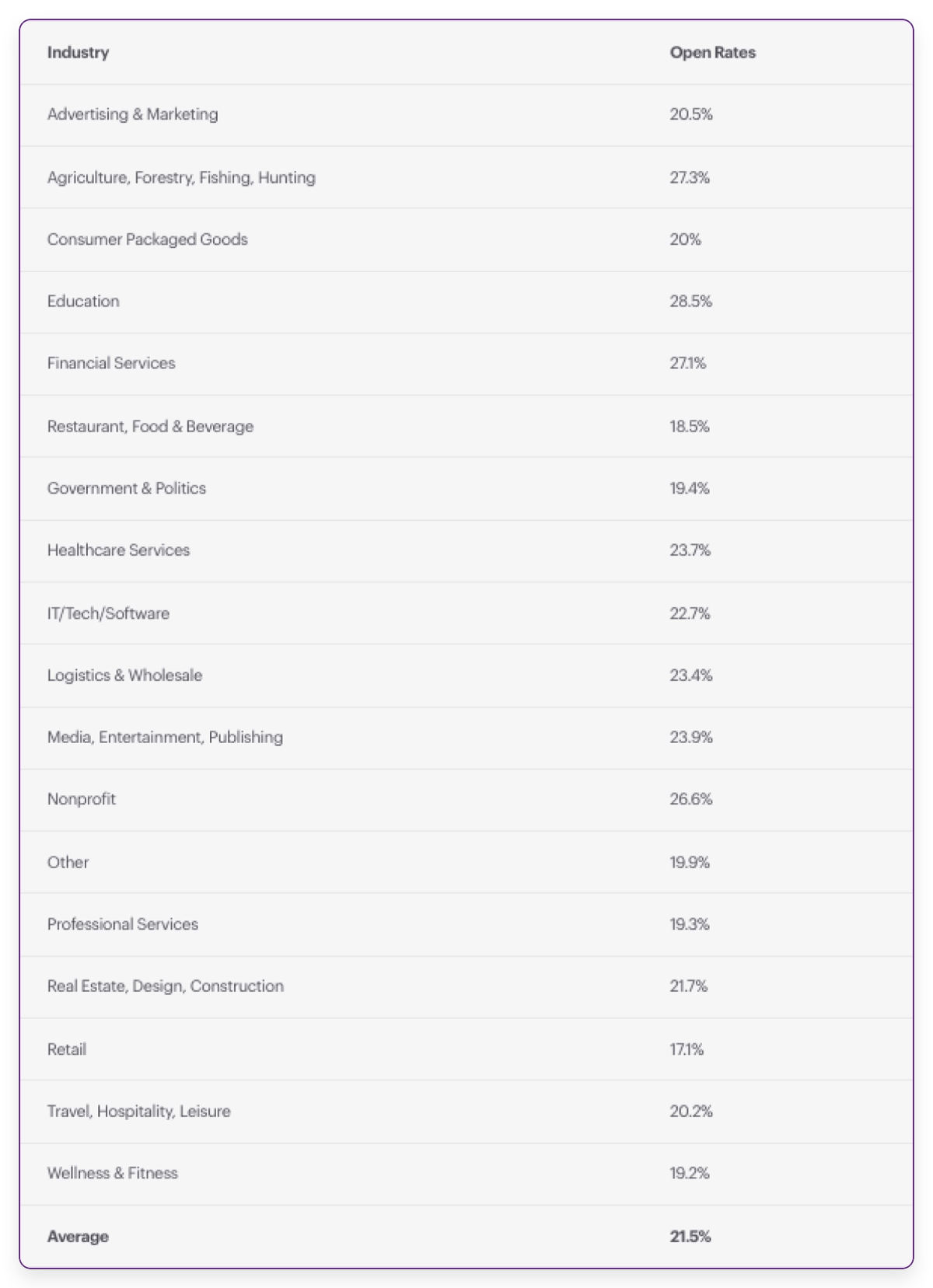
Getting a good CTOR can be challenging. It is already hard to get people to open your emails, and getting them to click is even tougher. Compare your CTOR to your industry average to see if you should try new marketing strategies.
How is CTOR different from other email marketing metrics?
To understand your CTOR better, it helps to know other key email marketing metrics that affect your campaigns.
Email open rate
This is the percentage of subscribers who open your emails compared to the total sent. Tracking opens is essential for measuring campaign success and calculating other metrics.
Email click rate
This shows the percentage of subscribers who click on any link in your email, including images or hyperlinks, compared to the total emails sent.
Clickthrough rate (CTR)
CTR is often confused with CTOR. Let's break down the CTR formula to explain the difference more clearly.
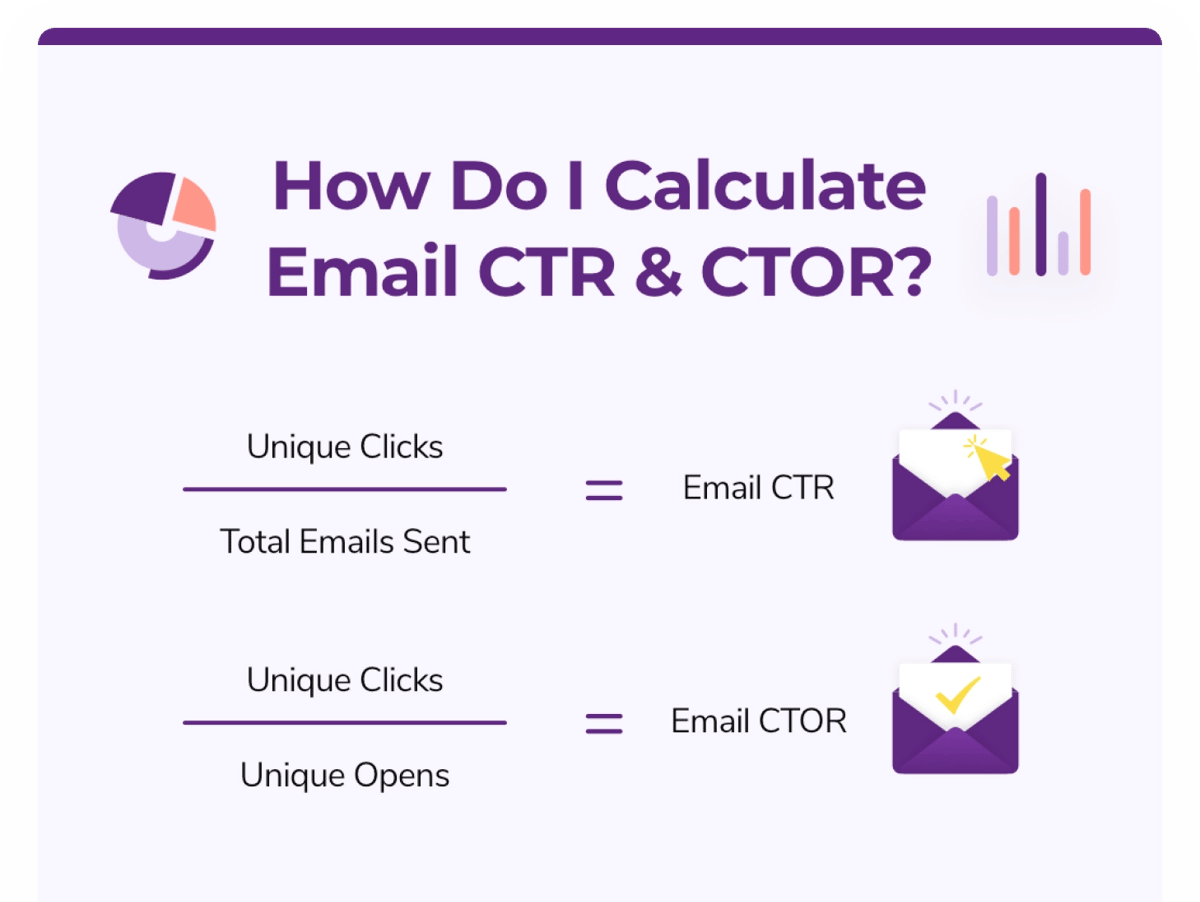
Use this formula to find your CTR:
(Unique email clicks ÷ total emails sent) * 100 = CTR
Now, compare it with the click to open rate (CTOR) formula:
(Unique email clicks ÷ Unique opens) × 100 = CTOR
What is the difference between CTR and CTOR?
CTR measures how many people click links in your email, including those who opens it multiple times. CTOR shows how effective your content is by measuring how many unique clicks happen after a unique open.
When to use CTR vs. CTOR:
CTR reflects the overall success of your campaign. Even if the same person clicks multiple times and makes a purchase, it is still a win.
CTOR reveals how engaging your email content is. A low CTOR may suggest that your messaging or offer needs improvement. On the other hand, a compelling offer and strong content usually lead to a higher CTOR.
Bounce rate matters
Email bounce rate tracks how many emails fail to reach inboxes. If your bounce rate is high, both your CTOR and CTR will drop.
If your email performance is low, checking your FareOf can help you identify and fix delivery issues quickly.
How to improve a low click to open rate (CTOR)
CTOR reflects how engaging your email content is. If your CTOR is low, focus on improving these key areas:
1. Keep your message clear and simple
Stick to one main message in your email and keep it short. People receive over 100 emails daily, and most are in a rush to clear their inbox. To grab their attention, choose a single topic and deliver it quickly and clearly. Avoid overwhelming readers with too much information or long, complex content.
2. Use eye catching images
A long, wordy email can lose readers fast. Adding colorful, well-designed images helps break up the text and keeps readers interested. Visuals can communicate your message quickly and make your email more engaging.

In this example, MarketingProfs shares the key details right away using a simple image. It highlights the event name, date, and a clear call to action. While more information follows, the opening quickly delivers the main message.
Use images to emphasize the most important parts of your email. Even if readers skim the text, a bold, high-quality graphic will catch their attention and make your offer easy to spot.
Make your link clear and easy to find
To increase your email CTOR, ensure the link you want people to click is easy to see and stands out.
Avoid hiding important links in the middle of a paragraph, skimmers will likely miss them. Instead, try these tips:
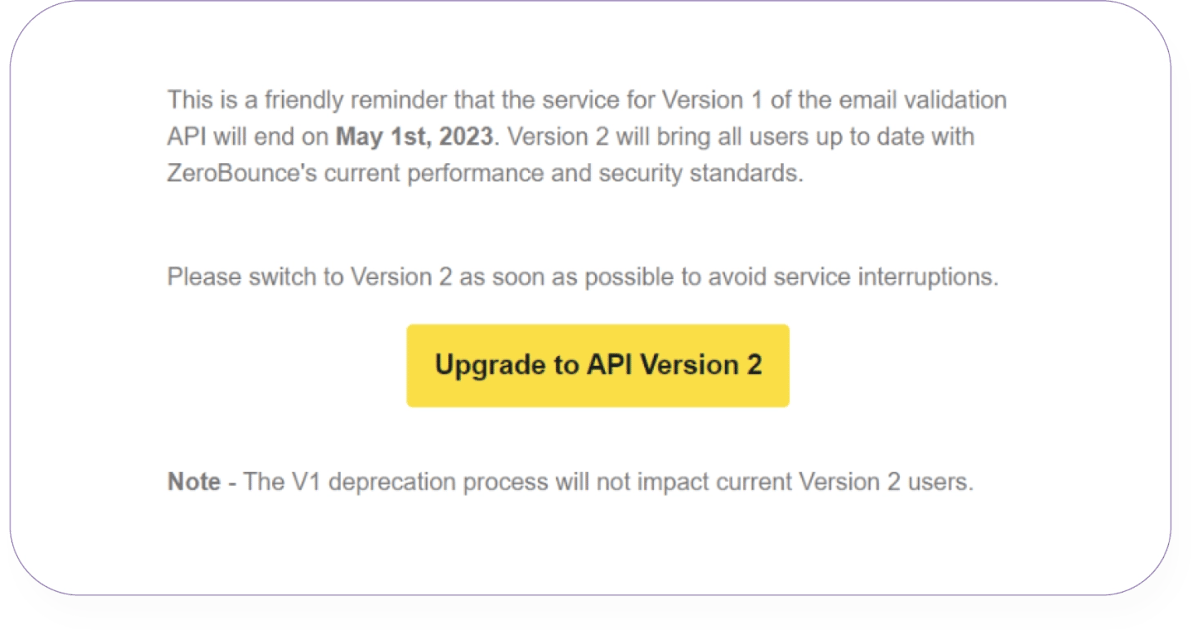
Make your link stand out to get more clicks:
- Use clear and bold hyperlink text with a call to action instead of plain links.
- Make the link text bigger and easy to notice.
- Use a bright, eye-catching color to highlight links.
- Add buttons, icons, or images to guide readers where to click.
Check and clean your email list
Regularly validating your email list can improve your email marketing results.
Cleaning your list helps you find and remove invalid or risky email addresses that hurt your campaign. Invalid emails can lead to high bounce rates, low open rates, and even lower CTR and CTOR.
FareOf’s email verification goes further by offering Activity Data and Email Scoring, which show how active and engaged users are. You can then target your most active subscribers for better results.
.Get started with FareOf today Create a free account and receive 100 free monthly credits to clean your list and improve your click to open rate.
Check out these free email deliverability calculators
FAQs
Email click to open rate (CTOR) is the percentage of unique clicks compared to unique opens. It shows how well your email content encourages readers to take action.
The average click to open rate for emails across all industries is around 11%.
Email clickthrough rate (CTR) measures unique clicks compared to the total emails sent. Click to open rate (CTOR) measures unique clicks compared to unique opens. While they seem similar, each tracks a different part of your email campaign’s performance.
Tips to increase your email CTOR:
- Stick to one clear topic or offer
- Keep your message short and easy to understand
- Make links easy to find and click
- Use attractive images and designs
- Add urgency to encourage quick action
- Show the value and benefits clearly
The average CTR for email marketing is 2.3% across all industries.
Upgrade your email click to open rates with FareOf
Sign up now
Begin with a free trialEnjoy 100 free monthly email validation credits