Reduce email bounce rates with our email risk assessment
Struggling with high email bounce rates? The problem might be your email list quality. Take our quick seven question email risk assessment to find issues and improve your sender reputation.
Give it a try
Need help with the email risk assessment?
If you are not sure about any questions or do not understand certain terms, check out these tips to guide you. They will help you find your email risk score easily.
How often do you update your email list?
Keeping your email list updated is key to improving email deliverability. How often you should update depends on how actively you run your email marketing campaigns.
- Frequently - you update your email list at least once a month. If your email list grows quickly over 2.5% per month, regular updates are essential to keep it clean and accurate.
- Sometimes - you update your email list about every three months.
- Rarely - you rarely or never update your email list.
Do your emails include spam trigger words?
Some words and phrases can cause your emails to be flagged as spam. Email providers use special filters to block suspicious or low-quality messages. Avoiding these trigger words helps ensure your emails reach your subscribers' inboxes.
Common spam trigger words and phrases
Certain words and phrases can cause your emails to be flagged as spam. Here are some examples to avoid:
Examples of spam trigger
words and phrases
now
winner
sales
today

Using these terms too often may trigger spam filters and prevent your emails from reaching inboxes.
You might be using spam trigger words without even realizing it. Some of these words are specific to certain industries and can increase your email spam score. If you use these terms too often, your emails are more likely to end up in the spam folder.
Review your recent email campaigns and compare them with a master list of spam trigger words to identify any risky phrases.
Explore more about what spam is, where it comes from, and how to reduce the chances of your emails being marked as spam.
Read MoreHave you ever had problems with your IP reputation?
If you have faced issues with your email IP reputation, your email service provider (ESP) or internet service provider (ISP) may have sent you a warning. Your IP reputation is just one part of your overall email sender reputation.
It is a score that reflects how trustworthy your email activity is when using your IP address. Several factors can affect your IP reputation, including the way you send emails and how recipients respond to them.
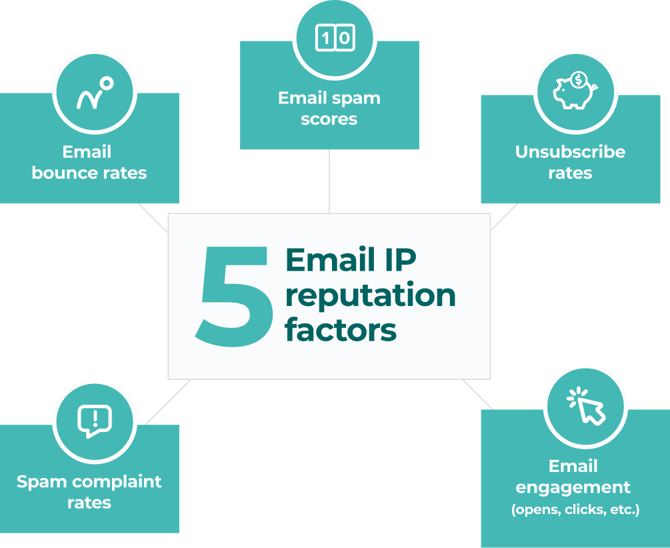
If you use a public IP address, you probably share its reputation with other senders using the same IP. to better understand your email risk, check your IP history and respond based on what you find.
Want to know your IP reputation? Check it for free today.
Check your reputation monitoringHave you had problems with your domain reputation?
Just like with your IP reputation, poor email practices can harm your domain reputation.
IP reputation tracks where your emails come from, while domain reputation identifies your business and how you handle email sending.
If you often send cold emails to people who did not sign up, get a lot of bounced emails, or receive spam complaints, your domain reputation will likely suffer over time.
Both IP and domain reputation play a key role in your overall email deliverability score.
Have you had problems with your email server setup?
Issues with your email server setup usually show up when you have trouble sending or receiving emails from your domain or IP address.
These problems can happen in areas like email authentication (DKIM, SPF, DMARC), mail transfer settings (SMTP), or your DNS records.
If you are not sure about your emails server setup, our email server tester can check for:
- Header details
- DNS record issues
- Email port settings
- DMARC analysis
- SPF, DKIM, and DMARC alignment
Want to check your email server setup? Sign up and test it for free.
Check your configurationDo you use email verification tools?
Keeping your email list clean is essential for reducing email risks.
Email verification helps improve your list by checking if an email address is real and actively used. These tools can clean your list in bulk or in real time by finding and removing invalid addresses, temporary emails, and known spam complainers.
Using email verification is a simple way to maintain a healthy and reliable email list.
Do you use a double opt-in process?
Double opt-in is a reliable way to keep your email list clean and accurate.
Here is how it works:
1. Someone signs up for your email list, offer, or promotion.
2. They receive an automatic email asking them to confirm their subscription.
3. Once they confirm, they are added to your email list.
This process helps block fake signups, spam addresses, and bots. It also filters out people who are not truly interested, making your email list more engaged and effective.
Understanding your email risk assessment results
Once you finish the assessment, you will receive a total score that shows your email risk level.
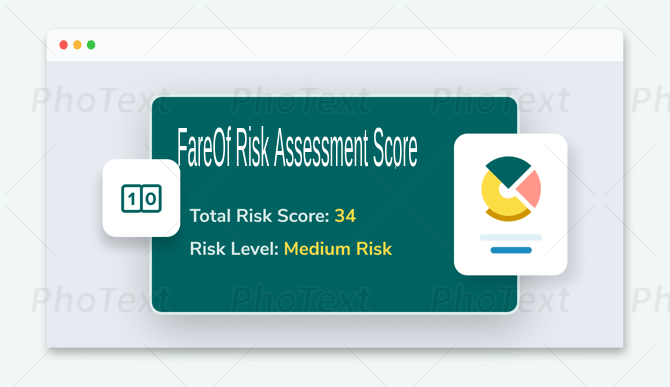
Just because you had email problems before does not mean they still affect you. For example, if you fixed your email server setup, your email deliverability should now be fine. Still, it is smart to test your configuration regularly to prevent future issues.
Other areas, however, may still pose a risk. One major concern is your email list. Businesses should update their email lists at least every three months. Without regular updates, problems will arise. Email lists shrink by about 23% each year due to inactive or outdated addresses.
If you are not updating your list, you are probably not verifying emails either. As email addresses become invalid, you are more likely to face bounces, spam complaints, and other deliverability problems.
These issues can damage your email sender reputation. If you have struggled with IP or domain reputation before, new problems could hurt you even more. Poor email practices over time can ruin your ability to reach inboxes and harm your email marketing success.
Best Practices of email deliverability
Protecting your email reputation is important. If the email risk assessment shows you are at risk, follow these steps to improve your email deliverability.
Clear Your Email List
A clean email list is the first step to improving deliverability.
Start by downloading your list of email contacts. Then, upload it to any trusted email verification service.
The verification tool will check each email address and identify its type. The goal is to keep only valid emails, addresses that are active and can successfully receive your messages.
Regularly cleaning your list helps reduce bounces, avoid spam complaints, and maintain a strong sender reputation.
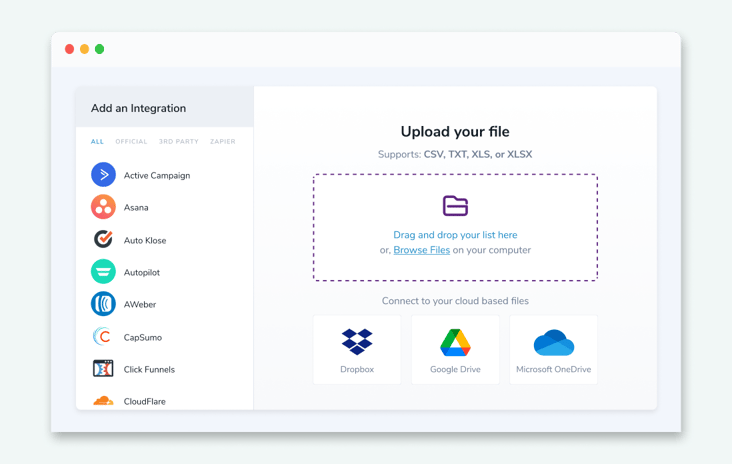
Cleaning your email list is important because even a few risky addresses can increase your email risk. It is easy to collect harmful emails without realizing it, which can hurt your email deliverability and sender reputation.
5 Factors That Influence Email List Quality
Emails decay
Emails become outdated due to job changes, promotions, or people switching addresses.
Privacy concerns
Disposable emails can become invalid in minutes, making it harder to maintain a clean list.
Spam complainers
Some people report emails as spam instead of unsubscribing, which hurts your sender reputation.
Spam traps
Spam prevention tools monitor for suspicious activity and can flag your emails if you send to fake addresses.
Catch -all emails
These addresses accept all incoming messages but may not deliver them, making them unreliable.
Try Our Email Verifier Create a free account and check up to 100 email contacts at no cost.
Try FareOf for freeUse a double opt-in process
If you ask visitors or customers to sign up by email, using a double opt-in helps confirms their registration.
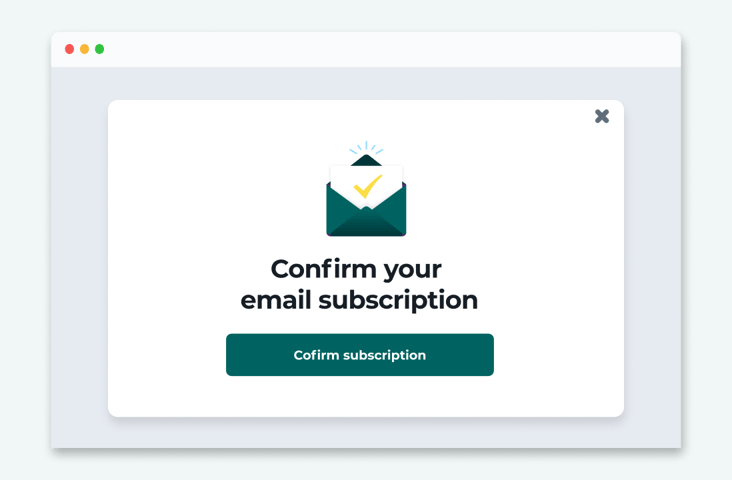
A double opt-in helps block fake or invalid email addresses. It also increases engagement because people who confirm their subscription are more likely to open your emails in the future.
Limit spam trigger words
Avoiding spam trigger words can be challenging, especially when promoting special offers. The key is to use these words naturally and only when necessary.
For example, a simple holiday sale email is different from a spam message filled with exaggerated claims. Writing clear, genuine content helps you avoid being flagged.
Since not all inboxes filter spam the same way, it is a good idea to test where your email will land before sending it. This helps lower your spam score and improves your chances of reaching the inbox.
Curious where your email will go? Try your inbox placement now with FareOf.
Check my inbox placementUse real time email validation
Instead of cleaning your email list later, prevent invalid and risky emails from entering your system in the first place.
Some email verification tools offer an API that works in real time. By adding this to your website or landing pages, you can automatically block fake or unsafe email addresses during sign-up. This keeps your email list clean from the start.
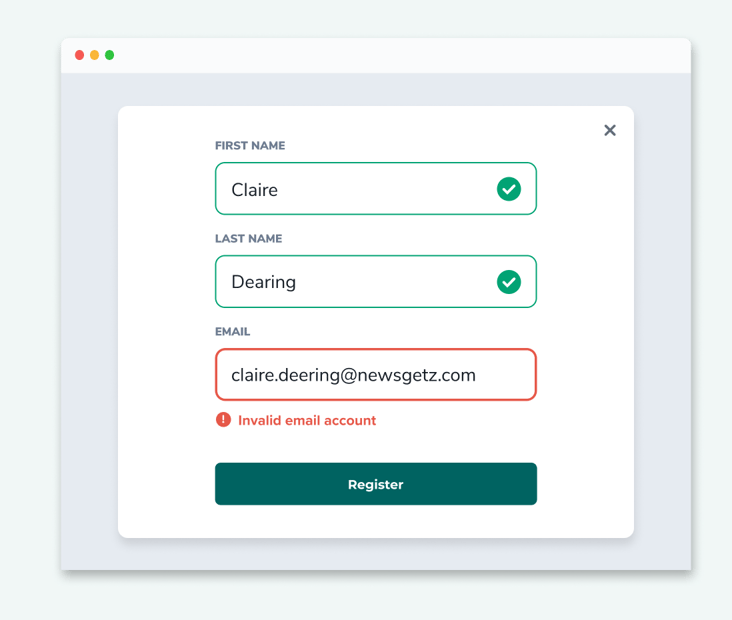
It works well, In 2023, FareOf, verified over 6 billion emails. Of those checked with real-time verification, 26% were invalid. That means 1 in 4 risky email addresses were stopped before they could enter the list.
Update your email list with an email finder
An email finder tool helps you update old contact information and complete missing details.
However, you should only use it to reconnect with people who have already subscribed to your emails. Sending messages to random contacts can harm your sender reputation. You must also provide an easy way for recipients to unsubscribe from your emails.
If you handle many calls and emails, it is easy to lose touch with business contacts. An email finder can help you find the right people if you know their name and company domain.
Looking for an email finder that verifies addresses with 99% accuracy? Try FareOf free
Receive 10 free email finder queriesAdvantages of improving email list quality
Regularly checking your email list for risks is essential for better email marketing. When you create a strong plan to reduce email risk, you can expect better results and stronger performance.
Reduce email bounce rates
High email bounce rates are a big problem for businesses and marketers. If your emails don’t reach people, you can’t turn subscribers into customers.
The strategies mentioned earlier can help lower bounce rates. Regularly cleaning your email list ensures you are only sending messages to real people. Using real-time verification on signup forms blocks fake and incorrect addresses, preventing mistakes like typos.
Improve email deliverability
Keeping your bounce rate low, ideally under 2%, helps improve overall email deliverability.
Deliverability means more than just reaching an inbox. Even if your emails are delivered, they might go to the spam folder if you have issues with your IP or domain reputation. A low bounce rate shows email providers that you are a trustworthy sender, increasing the chances your emails will land in the inbox.
Protect your sender reputation
Following good email practices helps improve both your IP and domain reputation.
Regularly checking your email server setup ensures your messages reach the right inbox. Using email authentication methods like DMARC, SPF, and DKIM adds another layer of protection. These tools help prevent spammers from misusing your domain or IP for fake emails.
Increase email engagement
Keeping your email list clean and optimizing deliverability leads to better audience interaction.
When you send emails to real contacts, avoid spam words, set up your server correctly, and use a double opt-in process, more emails reach your subscribers. This gives your audience more chances to engage with your content.
Even better, you can track and improve your email performance. Since your emails are reaching people, you can focus on testing subject lines, layouts, and content to see what your audience likes most.
Reduce email risk with FareOf
Improving email deliverability is easy when you follow the right steps. You don't need to be a tech expert to lower bounce rates and protect your email sender reputation.
The process is even simpler with the right tools.
FareOf offers everything you need to manage email risk and improve your email campaigns. With our easy-to-use dashboard, you can access:
- Email verification
- Reputation monitoring
- Inbox placement testing
- Email server configuration checks
- Email Finder
- Email scoring, activity data, and more
Get started for free and create your account today and receive 100 verification credits to clean and improve your email list.
Check FareOf freeFAQs
An email risk assessment checks for problems with your email content, contact list, server setup, and sender reputation. High email risk can affect both the recipient and the sender. It not only puts the recipient at risk but can also make it harder for the sender to successfully deliver future emails.
You can decrease email bounce rates by following best practices for email deliverability. This includes regularly cleaning your email list with an email verification tool, using real time verification on your signup forms, setting up your email server correctly, and avoiding words that trigger spam filters.
Email sender reputation is a score that internet service providers (ISPs) use to judge how trustworthy your emails are. This score is based on factors like your bounce rate, spam complaints, and how often people open and click on your emails. A good sender reputation helps your emails reach inboxes,while a poor one increases the chances of your emails bouncing or going to spam.
Spam trigger words are certain words or phrases that internet service providers (ISPs) use to detect possible spam emails. When your emails contain these terms, they are more likely to be identified and may not reach the recipient’s inbox. Common examples include “free gift”, “lowest price”, “fast cash”, “trial”, and “no hidden fees.
A spam score is a number assigned by spam filters after analyzing your email for signs of spam. This score is influenced by factors like spam trigger words, the way your email is formatted, and your sender reputation. A high spam score increases the chances of your email being sent to the spam folder.
Keep your email bounce rate low with FareOf
Sign up now!
Begin with a free trialReceive 100 free email validation credits quickly